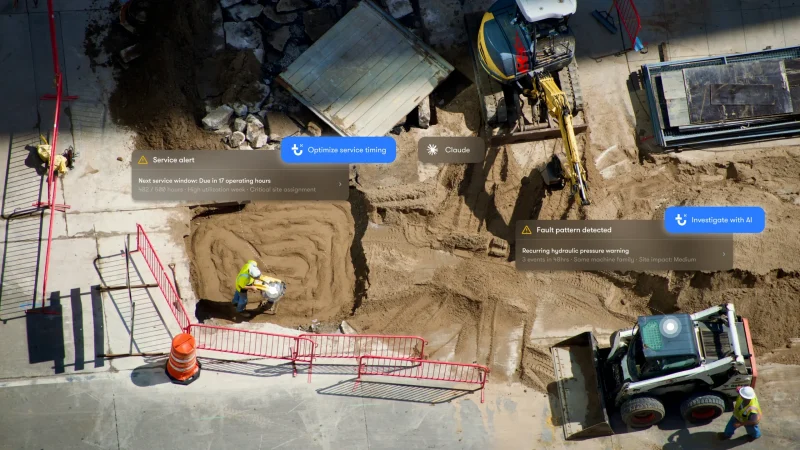






The contractors I work with ask me a version of the same question all the time. They’ve got connected machines and data coming off every one of them. What they want to know is what any of it is worth to the company paying for the work.
It’s the right question. Say you’ve got a thousand assets, some owned, some rented, from a handful of different OEMs. You can have 10 different places to find that data. Different logins, different formats, different definitions of what the data means.
Getting to full fleet visibility is the first job. But even a good dashboard only shows you what somebody decided belonged on the report.
The next question is: can I get to the information I need when I actually need it? That’s where Model Context Protocol (MCP) gets interesting.
Model Context Protocol (MCP) is an open standard that lets AI tools connect with the systems a business already uses.
For contractors, tools such as ChatGPT or Claude can work with the fleet data you’re authorized to access. Instead of opening another report, you can start with the question you need answered.
Most fleet managers can already check locations, operating hours, utilization and fault codes. It gets harder when the answer requires putting several pieces together.
Say a superintendent needs another excavator tomorrow. Before renting one, you want to know whether you’ve already got one sitting underused somewhere else. Then you need to know where it is, whether anything is wrong with it and whether it’s actually ready to move.
The same goes for questions like:
Equipment idle time eats into fleet profitability, but knowing that isn’t the hard part. The hard part is spotting it early enough to do something about it.
Find out a month later and the fuel is burned or another rental invoice has been paid. Find out this morning and somebody can still act.
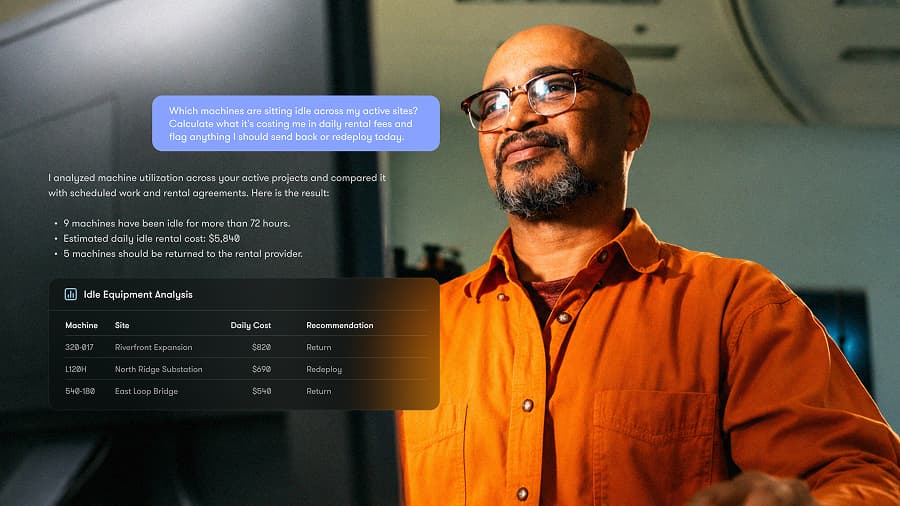
MCP is a connection standard. What you get out of it still depends on what sits behind the connection.
If you’ve got equipment from five manufacturers and the AI can only see one of them, you’re still missing most of the picture. That’s a problem for contractors managing owned and rented equipment across multiple projects.
Trackunit IrisX MCP connects compatible AI tools to fleet intelligence brought together in IrisX, including utilization, maintenance, locations, alerts and equipment data across brands and connected systems. What a user can access is still controlled by their permissions.
So I wouldn’t just ask whether a fleet platform supports MCP. I’d ask what it lets me see and what I can actually do with it.

You don’t need to become a prompt engineer. Start with a real question your team needs answered and be clear about what you’re looking for, where and when.
For example:
Start: Which job site currently has the most idle equipment?
Go deeper: Which of those idle assets could be moved to another active job site this week?
Narrow it down: Which of those assets has an active fault or upcoming service, and which should we deal with first?
And you don’t have to start over every time. Ask the next question. Change the timeframe, narrow it to one equipment type, compare another site or ask which machines are behind the number.
Keep going until you’ve got enough information to make the call. Depending on your tools and permissions, you can go further and take supported actions too, such as creating alerts, updating information or setting up recurring reports.
Which machine can move to the next job? Which fault needs attention before tomorrow’s shift? Where are you paying for equipment you’re not using?
The data to answer those questions may already be there. MCP gives you a faster way to get to it while there’s still time to do something about it.
Nate Smith has more than 15 years of experience in fleet management and construction technology. He joined Trackunit in 2024 where he is Vice President of Sales for the Americas, working with contractors across North America to help them get more out of their connected fleets.