Trackunit Emissions Reporting gives you complete visibility of Scope 1 equipment emissions across every machine, site, and region. Use the data to cut fuel costs, reduce idle time, and produce verified emissions reports for contract requirements and project bids.
Solution benefits
Purpose-built emissions tracking just for construction
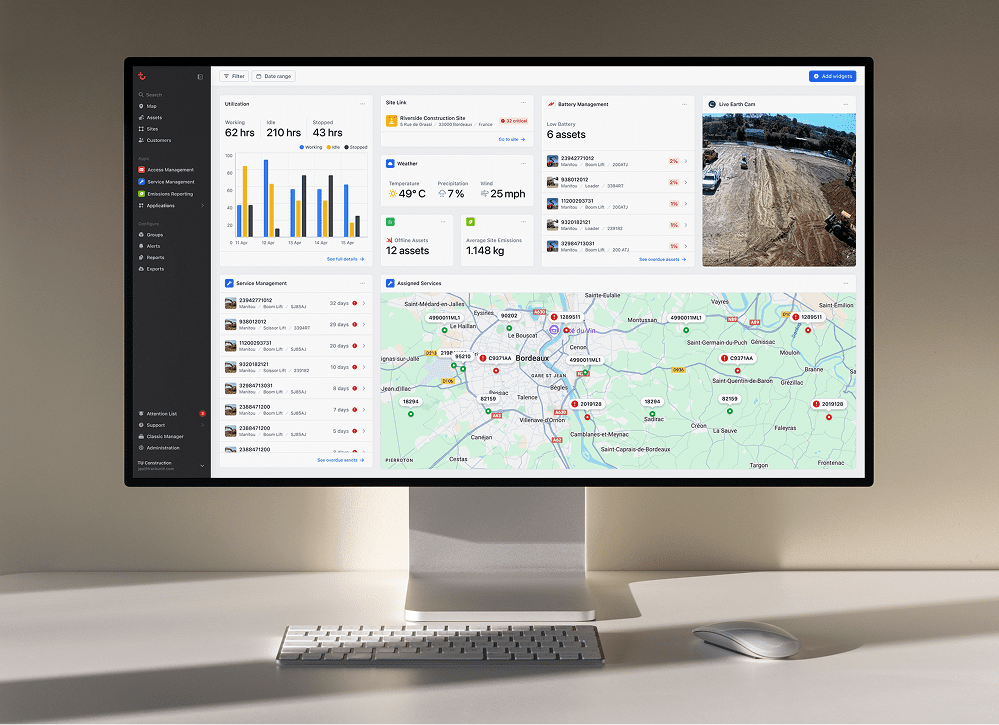
Track and reduce equipment emissions while cutting fuel costs with Trackunit’s Emissions Reporting. Monitor every asset, jobsite, and region in one dashboard, generate structured reports for contract requirements, and make data-driven decisions that improve your sustainability position.
Bottom up tracking
We prioritize direct measurement for highest accuracy. If unavailable, we rely on indirect data (load, RPM, history) for reliable emissions estimates.
Trusted CO₂ standards
Leveraging internationally recognized combustion factors ensures accurate and consistent emissions data for credible sustainability reporting.
Real-world reference data
Powered by usage data from over 8,000 construction equipment makes & models, Trackunit delivers robust, industry-tested emissions estimates.
Ever-evolving accuracy
Every new data point improves the accuracy of your emissions estimates, so your reporting gets more precise over time.
Sustainability dedication
Enabled by Trackunit’s dedicated team of data scientists and developers, our solution adapts to the industry’s shifting sustainability demands.
Exclusive data advantage
Trackunit leverages real-world data from over 3 million connected assets, offering insights unavailable anywhere else in the market.
Emissions reporting
Emissions made visible, so you can take action to transform results
Track and reduce equipment emissions while cutting fuel costs. Monitor every asset and jobsite in one dashboard and generate structured reports ready for contract submissions and regulatory requirements.
Complete visibility
Drill down or across the fleet
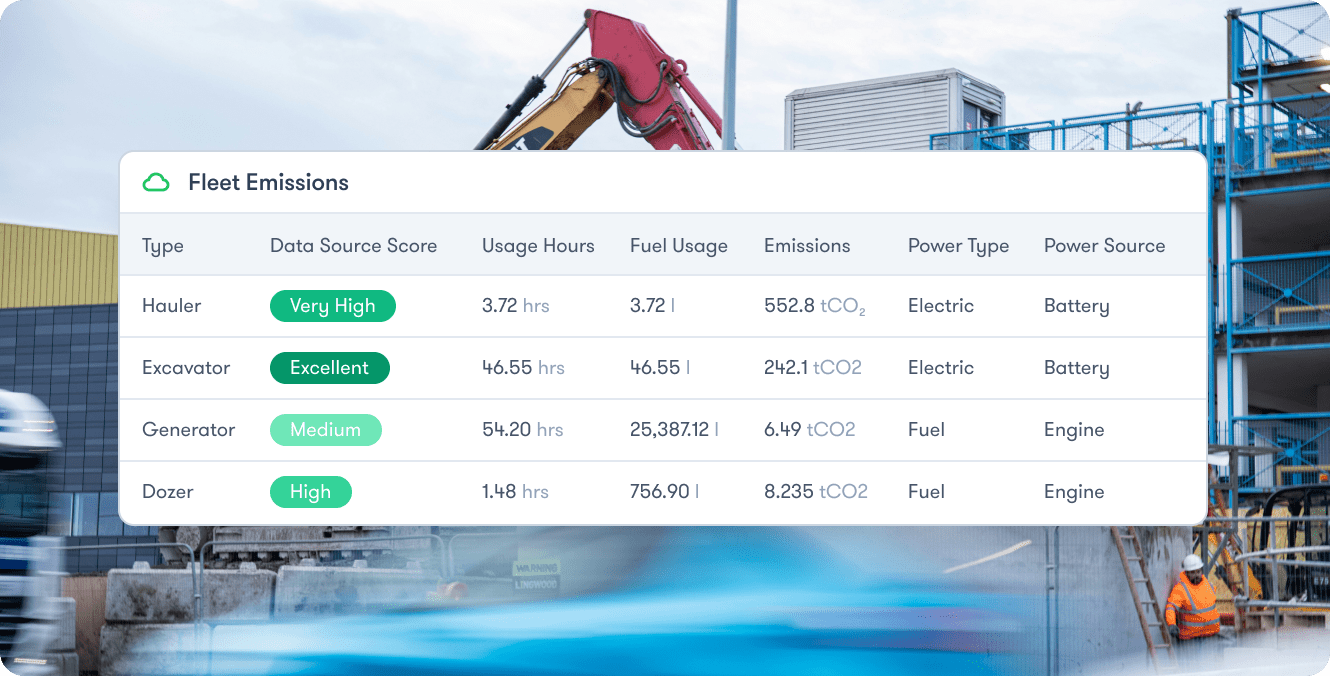
With fuel and emissions tracking per asset or across your entire fleet, you can drill down or across the fleet to know exactly where things stand with emissions, plus eliminate time spent on manual guesswork.
With emissions tracking across every make & model of construction equipment, including fuel and electric, you can rest assured that we’ve captured each and every one of your connected asset types.
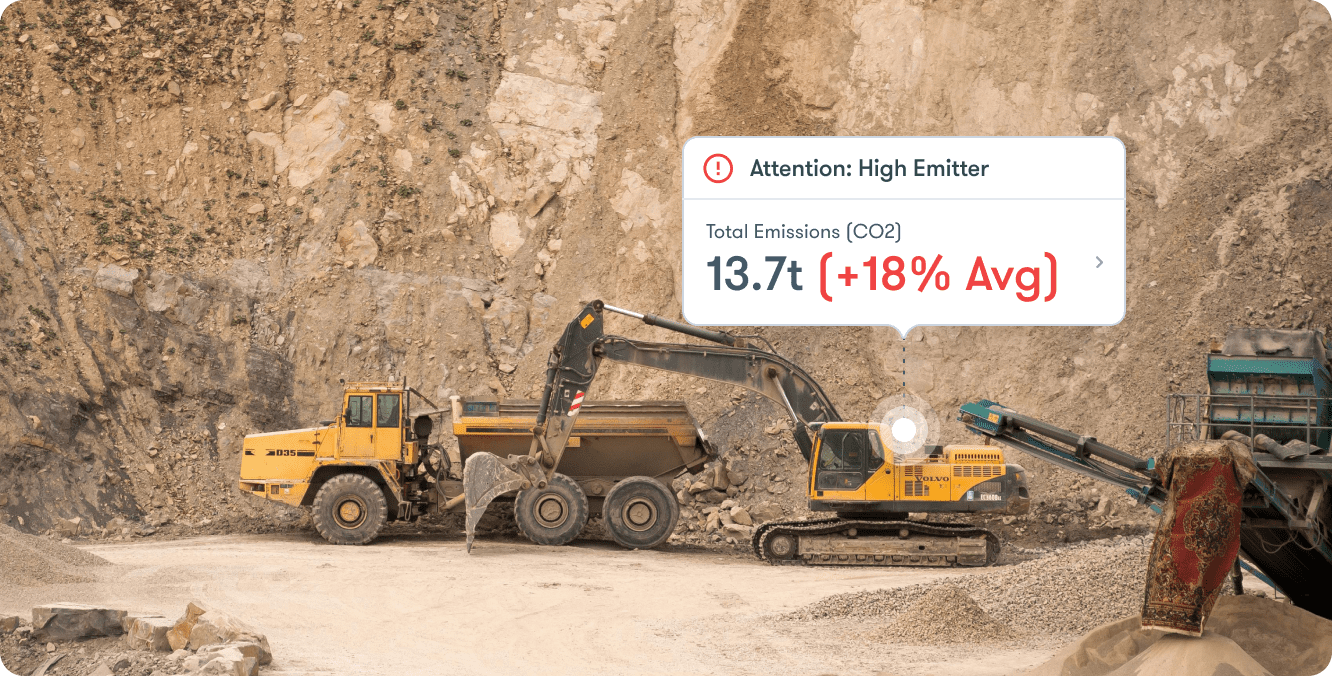
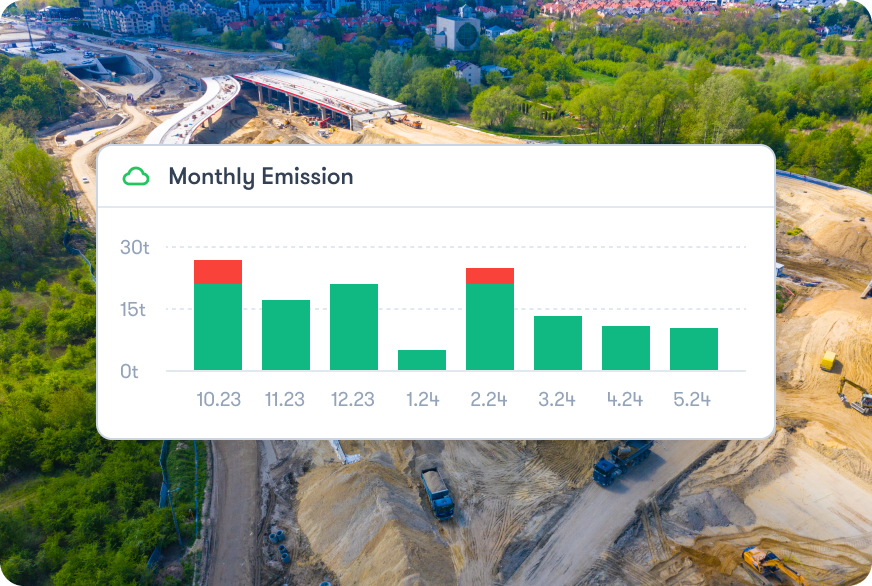
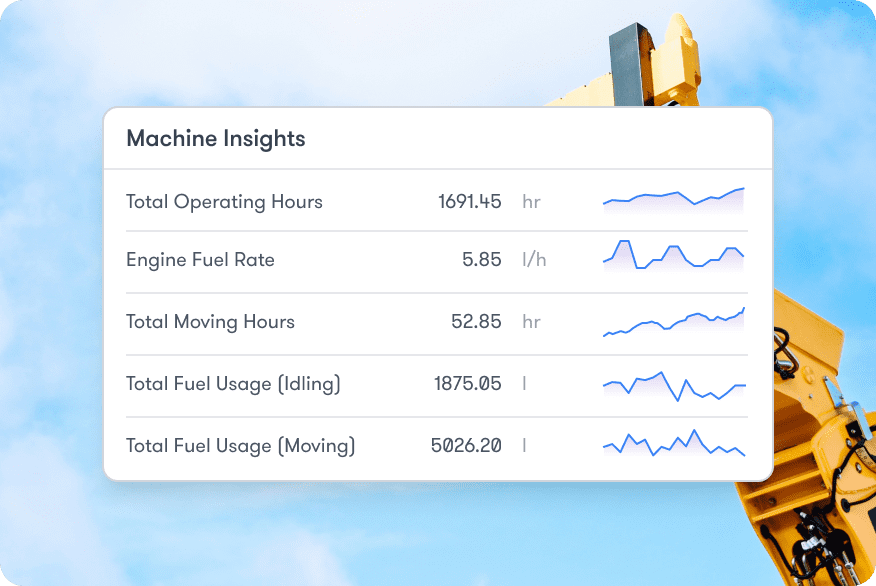
With total monthly emissions and asset-level details you can quickly spot high-emission machinery and replace it with cleaner alternatives to adhere to project and site targets, plus drive operational efficiency and sustainability.
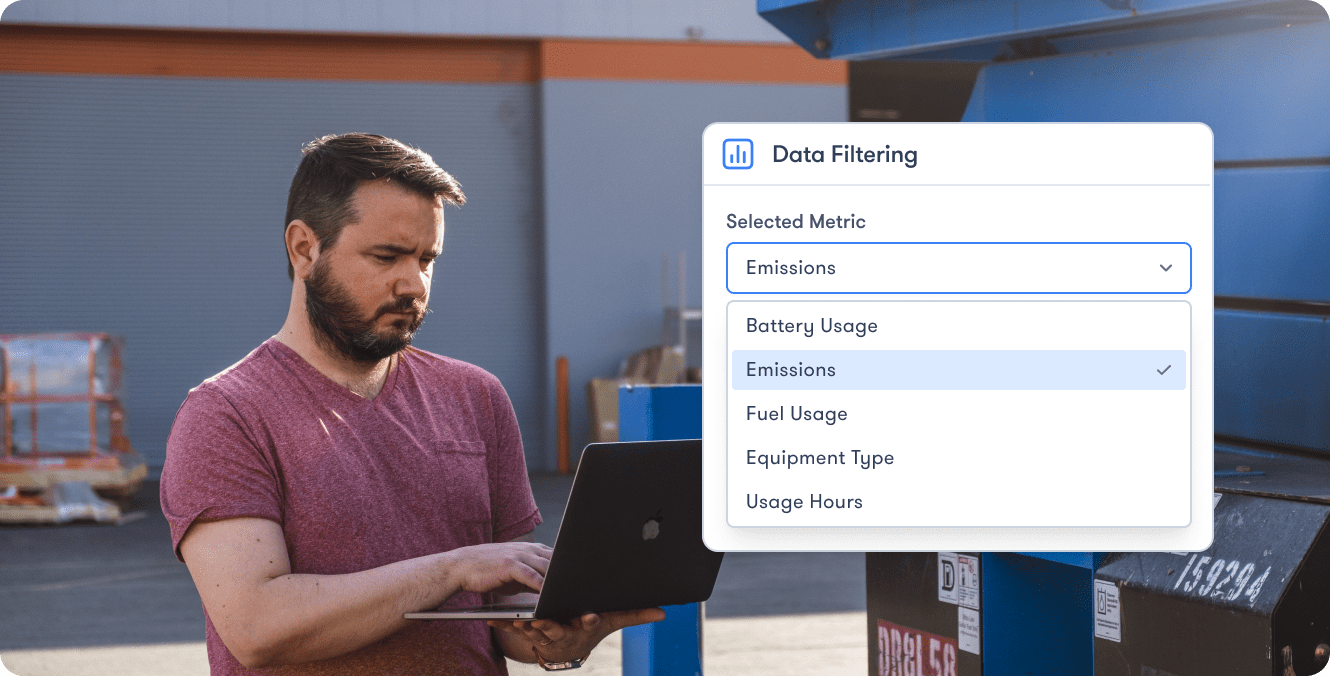
With data filtering by equipment type, operating hours, fuel and energy used, plus more, unlock instant insights to realize cost-savings and drive business value.
How to report equipment emissions to meet contract requirements
Emissions reporting is increasingly written into contract requirements globally, from public procurement frameworks to private project bids. If a client or project owner is asking for emissions data, here is how to produce it using Trackunit.
Step 1
Understand your requirements
Check what your client or project owner needs before connecting equipment. Most requests include total Scope 1 equipment emissions output by project period, a per-asset breakdown, and fuel-type differentiation. Trackunit’s dashboard produces all three.
Step 2
Connect your fleet
Trackunit works across every make and model of construction equipment, including ICE, electric, and machines with no CAN data. No hardware changes needed to get started.
Step 3
Capture per-asset data
Trackunit automatically calculates emissions for each asset using direct measurement where available, and a validated model for machines without direct data. All figures are based on internationally recognized combustion factors.
Step 4
Generate your report
Export fleet-wide or per-project data in Excel or CSV, filtered by site, equipment type, time period, and fuel type to match exactly what your client requested.
Step 5
Improve your score
Use the Data Scoring dashboard to check accuracy before submission, identify gaps, and update asset metadata to strengthen your numbers.
Emissions Reporting: Data Scoring
How data scoring works
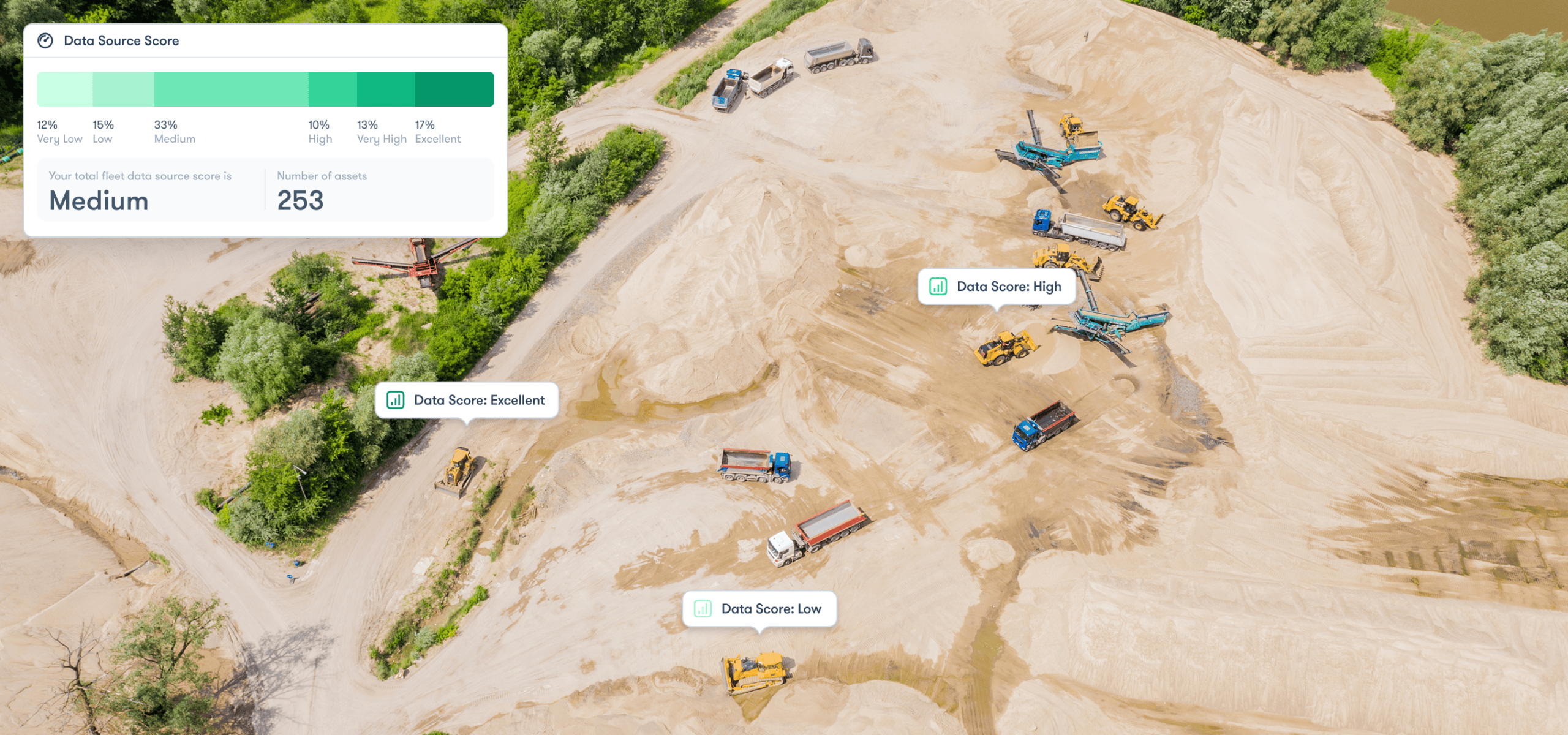
Trackunit Emissions Reporting includes a score for each asset so you always know the accuracy of your emissions data before it goes to a client, regulator, or contract submission. Follow these steps to improve your score and submit numbers you can stand behind.
Step 1
Score check
Check the Data Scoring dashboard for a full fleet score.
Step 2
Drill deeper
Drill down into asset-level scores from excellent to low.
Step 3
Take action
Take action to get a higher score by updating asset meta data or connections.
Step 4
Your winning score
Achieving an excellent score means no further action is required and you are getting the most accurate emissions estimates.
Sites
Track your emissions wherever your equipment operates
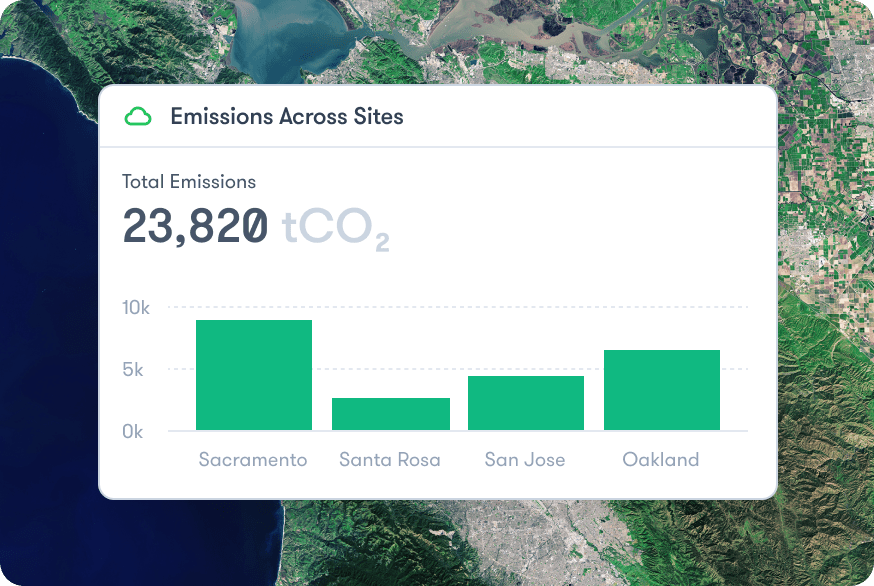
Surface key insights with fuel and emissions tracking spanning your entire construction fleet, across job sites, depots, or areas you define, all to win contracts and keep projects on track.
Stay compliant
Meet regulations, avoid costly penalties
Accurately measure Scope 1 equipment emissions to meet regulatory requirements worldwide and keep projects free from penalties and disruptions.
Real-time visibility
Spot issues early, control equipment usage
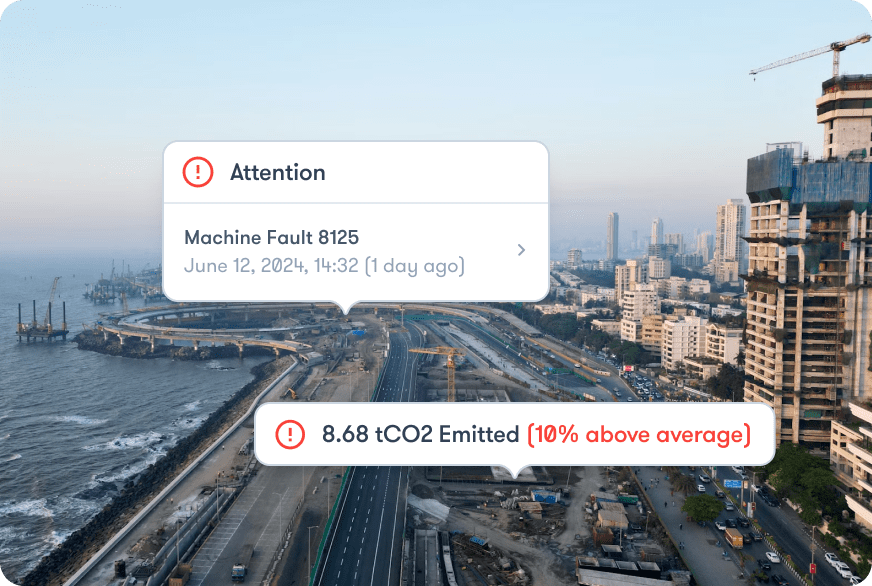
Gain insight into each machine’s performance across multiple sites, quickly troubleshoot problems, and schedule maintenance before downtime occurs.
Insight-fueled growth
Turn emissions data into strategic opportunities
Use fleet-wide emissions data to make smarter decisions, like scheduling maintenance, retiring high-emitting assets, or switching to cleaner machines.
Why Trackunit
Built for construction.
Not adapted for it.
Most emissions tools in this market were built for on-road or logistics fleets and adapted for construction. Trackunit was purpose-built for construction, where fleets are mixed, ownership is complicated, and connectivity varies.
Lead with the data model
Trackunit's emissions model was built for construction, using direct measurement where available and a validated predictive model for machines without CAN data.
Validated at scale
The data model draws on real-world usage data from over 3 million connected assets and 8,000+ equipment makes and models, making it the most grounded emissions dataset in construction.
No gaps in your report
Trackunit's adaptive model generates an emissions value for every connected asset, including machines with no CAN data. Tools that require direct data leave gaps. Trackunit fills them.
Data Scoring
Know exactly how accurate your data is before you export. The Data Scoring dashboard shows the accuracy level for every asset, and where scores are low, you can improve them before submission.
Site-level reporting
Trackunit supports emissions tracking by jobsite, depot, or defined area, so your report maps directly to how clients and project owners think about project accountability.
Find your highest emitters
Trackunit's filtering lets you drill down to the machines with the most emissions impact so you know exactly where to act first.
Efficiency unleashed
Reduce fuel consumption and costs
25%
Reduction in diesel consumption by analyzing real-time data across mixed-brand fleets and machine-level insights paved way for targeted fuel-saving measures.
Wins bids to stay in the game
65%
Of contractors cite data-backed sustainability efforts as a key factor in awarding bids, underscoring the market advantage of real-time emissions insights.
Save across every jobsite
15%
Of sites using automated telematics and analytics saw average fuel savings of 15% and a corresponding decrease in CO₂ emissions after implementing dashboards.
Utilization
Every minute of idling is a missed chance
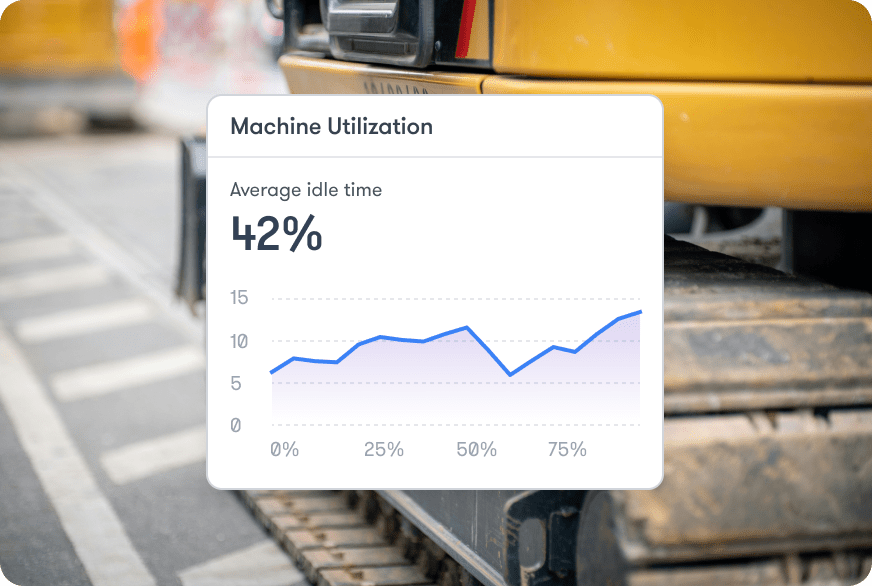
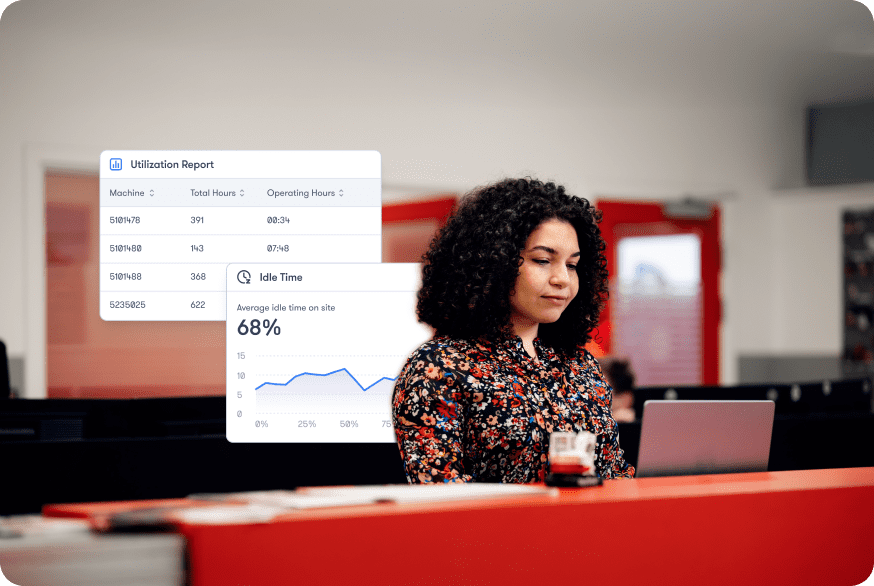
Trackunit’s utilization reports show you exactly where non-productive hours are happening across your fleet so you can act on them, cut fuel costs, and reduce your emissions footprint.
Actionable usage
Uncover daily
machine performance
Compare operating hours against expected targets to reveal underutilized machines, reduce downtime, and maximize efficiency across every jobsite.
Idle insights
Expose non-productive
machine hours
Track idling to cut wasted fuel and emissions, ensuring more precise project timelines, lower costs, and boosted sustainability.
Emissions impact
Optimize usage for
lower carbon footprint
Combine usage and idle data with emissions reporting to measure real impact, meet regulations, and strengthen your brand’s sustainability leadership.
FAQs
Frequently asked questions about equipment emissions tracking
What is the best solution for tracking and reporting equipment emissions in construction?
The most effective solution for tracking and reporting equipment emissions in construction is one built specifically for how construction operates, with mixed ownership, rented equipment, and machines without direct data. Trackunit provides per-asset emissions values across your entire connected fleet, generates structured reports ready for contract submissions and regulatory requirements, and covers gaps in direct data with a validated predictive model, making it purpose-built for construction emissions reporting at scale.
Can I include rented equipment in my emissions report?
Rented equipment can be included in your emissions report if the machine is connected through Trackunit. Emissions data is captured for all connected assets regardless of ownership. If a rented machine is not yet connected, speak to your rental provider about Trackunit connectivity. We also recommend confirming with your client upfront how rented equipment should be treated in their reporting requirement.
What if some of my machines don't have telematics fitted?
Machines without telematics cannot be included in a Trackunit emissions report. Trackunit can only report on connected assets. If coverage gaps are a concern, speak to Trackunit about connectivity options for your equipment
What if my data is incomplete or low quality?
Incomplete or low-quality data can be managed using the Data Scoring dashboard, which shows the accuracy level for every asset before you export. Where scores are low, you can update asset metadata or connections to improve them. Submitting a report with a visible data score also shows your client that you understand where estimates are involved and have taken steps to improve accuracy.
What happens with machines that don't have CAN data?
Machines without CAN data can still be included in your emissions report. Trackunit's adaptive model uses machine type, operating hours, and historical data from over 3 million connected assets to generate an emissions estimate. You get a figure for every machine, not just the well-connected ones.
Will a Trackunit report satisfy my client's emissions requirement?
Whether a Trackunit report satisfies your client's emissions requirement depends on what they have requested. Trackunit reports use internationally recognized combustion factors and are exportable in Excel or CSV. We recommend reviewing your client's specification and using Trackunit's filters by site, period, asset type, and fuel type to match the format they need.
Join the best in business
Trusted by leading OEMs, rental companies, contractors, and partners to unlock the full value of their fleets and equipment.
Joel Särkkä
CIO, Renta
“Digitization has been an integral part of being able to scale the business. It forces us to think outside of the box and come up with new solutions. But we always keep in mind that the solutions we create should serve the people using them.”
Roger Rotés
Product Manager, AUSA
"We launched the AUSAnow solution together with Trackunit during 2021,” Roger Rotés, Product Manager at AUSA says. “The partnership between AUSA and Trackunit exemplifies the power of collaboration in driving operational excellence and customer satisfaction."
Jenna Reed
Director, Sunbelt Rentals
"Through our partnership with Trackunit, we are enabling a better end-to-end experience for our customers through data. Having robust equipment data from Trackunit Manager, which pulls in critical information from our IoT devices, is critical to our operations."
Products
Discover all your possibilities
Experience a world of opportunity by plugging into construction.
Trackunit® Manager
Work smarter with full fleet intelligence
Say goodbye to fragmented views by using the industry-leading mixed-fleet platform to connect, collect, and present all your equipment insights in a single interface.
Get hands on with the solutions that can empower your digital journey. Let’s connect and find the right time and place to explore your connectivity potential.
Resources
Dig deeper into sustainability
Keep up to date on news surrounding the platform’s capabilities, development, and the technology behind it.